New Assets
Permissions Required
ASSETS:CREATE
ASSETS:ASSET_TYPES:CREATE
Asset Types
All assets are based on an asset type, which is owned by a manufacturer that can be added in a separate menu.
To create a new asset type, select a manufacturer and then provide the following information:
- Asset Name
- Asset Value
- Day & Week rates (suggested based on asset value)
- Asset Category
You can also provide additional information now, or update it later, including:
- Asset Description
- Product Link
- Mass
- Up to 10 definable fields
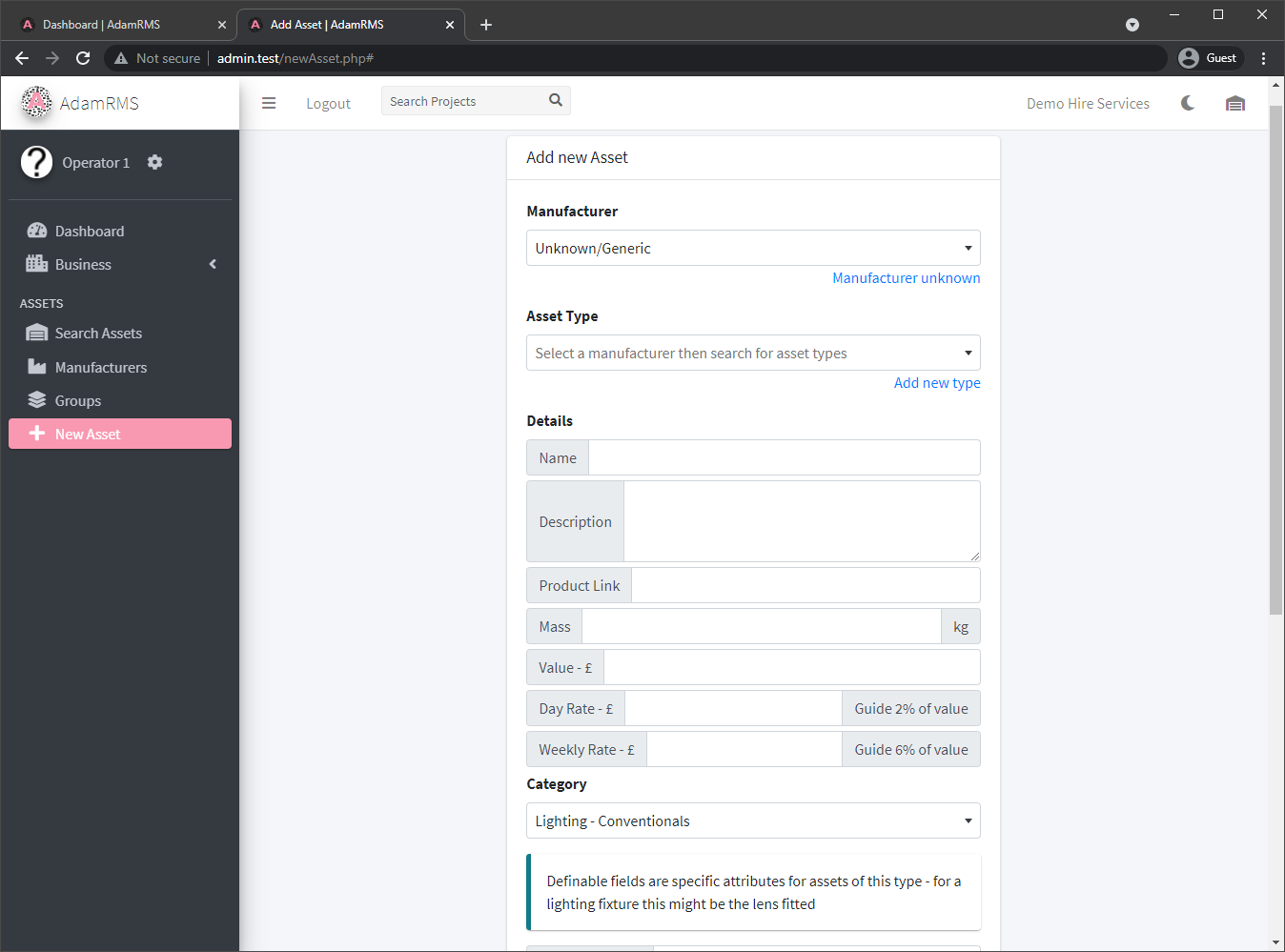 Add new asset type
Individual Assets
After creating an asset type, you can create individual assets of that asset type. Each asset can have additional information:
- Asset notes, eg when the asset was purchased
- Values for the asset type definable fields
- Asset Groups
- Asset Tags
- Asset Tags can be auto-generated (will be A-XXXX) or entered manually.
- See Asset Barcodes for more information.
You can add multiple assets at once, and the tags will be added sequentially.
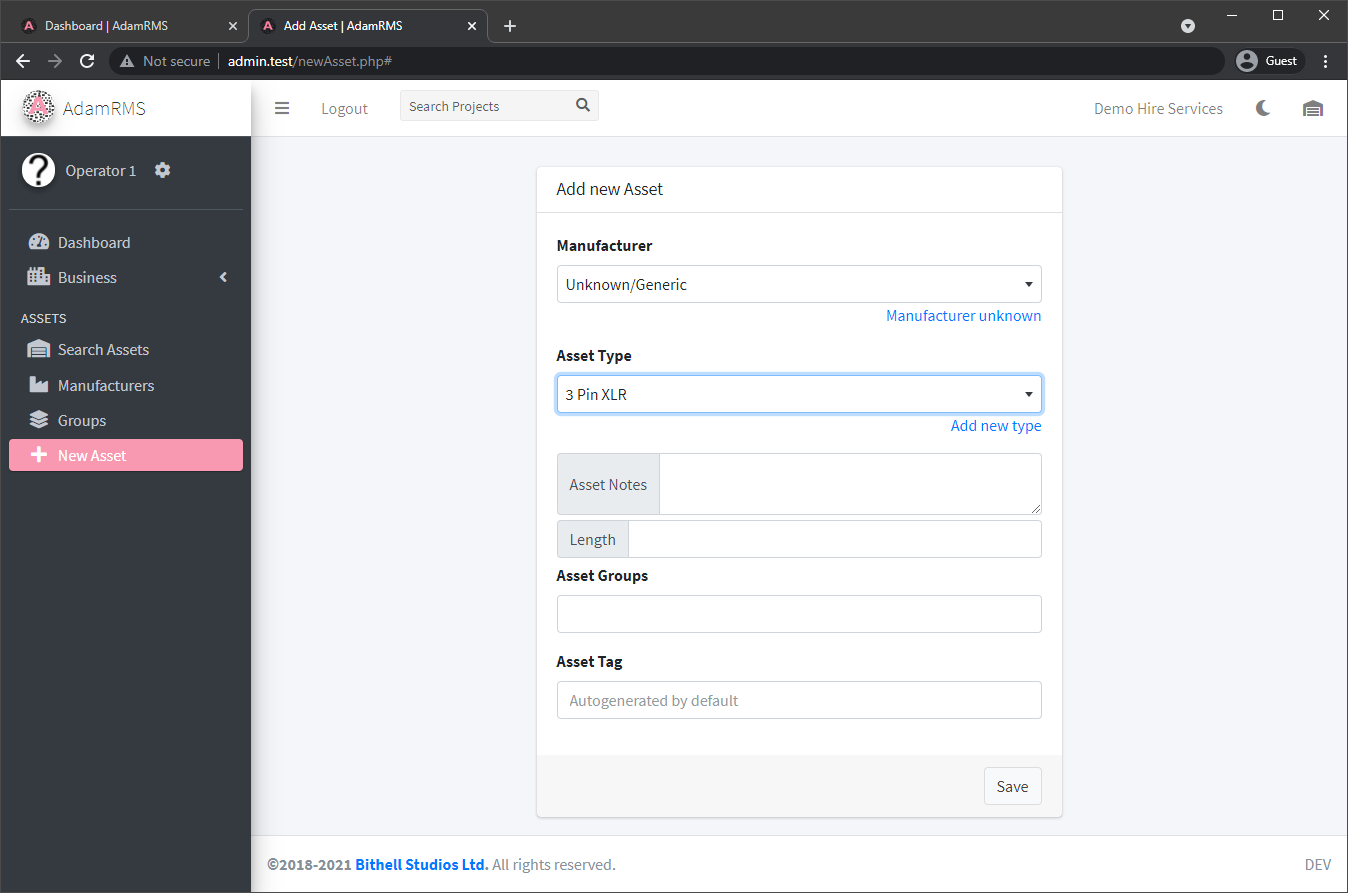 Add a new XLR Asset